How to Recover Deleted WhatsApp Messages from iPhone - Cok WhatsApp Recovery

In order to export the WhatsApp messages from iPhone to computer, it needs to use another two software(iTunes and iTools) for help. You just need to follow the operations in this website step by step, you will see all whatsapp messages(include some deleted messages) on computer easily. You can see all text conversations and images, and play all audio and video which chat with your friend on WhatsApp.
Usage of Cok WhatsApp Recovery for iPhone:
1. Connect your iPhone to computer, install and open "iTunes" software ( Download now ), click the iPhone icon at the top left corner, choose "This computer", click "Back Up Now" button on the right and then click "Don’t Back Up Apps" on the pop-up window. Back-up would export all data(including WhatsApp Messages database and attachments) in the iPhone to computer and thus it would take quite long time. When the progress bar on the window title bar dissappear, back-up of iPhone is finished. Back-up would take unequal time from more than several minutes to several hours.
Pay Attention: Please don't check “Encrypt iPhone backup” box.

2. Download and install Cok Free iTunes Backup Extractor on your computer( Download Now ).
3. Open "Cok Free iTunes Backup Extractor" software, and then double click the backup file row.
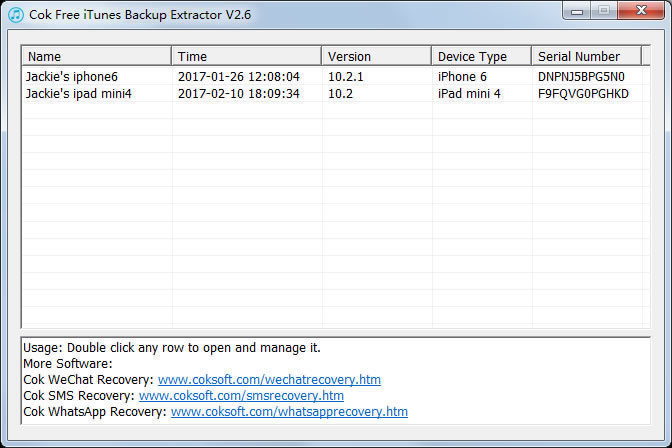
4. Enter into var/mobile/Applications/, select folder "group.net.whatsapp.WhatsApp.share" and then click "export" button to export this folder to your computer.

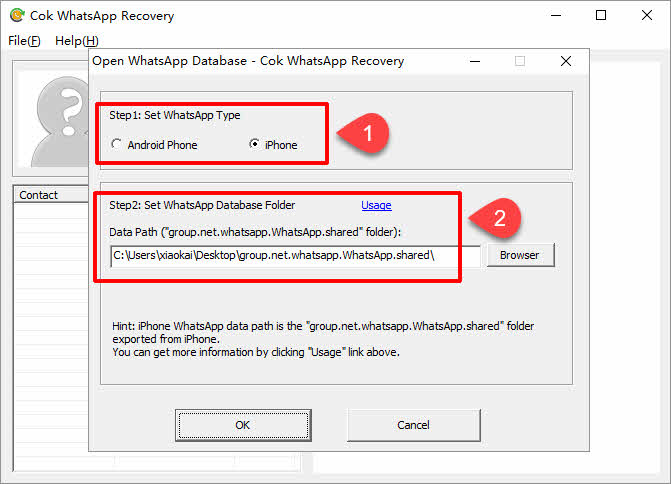
5. open "Cok WhatsApp Recovery" software, set the WhatsApp type as "iPhone" and data path as the folder "group.net.whatsapp.WhatsApp.shared" folder that is exported from iPhone backup, and set Resource path as the folder "net.whatsapp.WhatsApp" folder that is exported from iPhone backup. Then please click OK button.
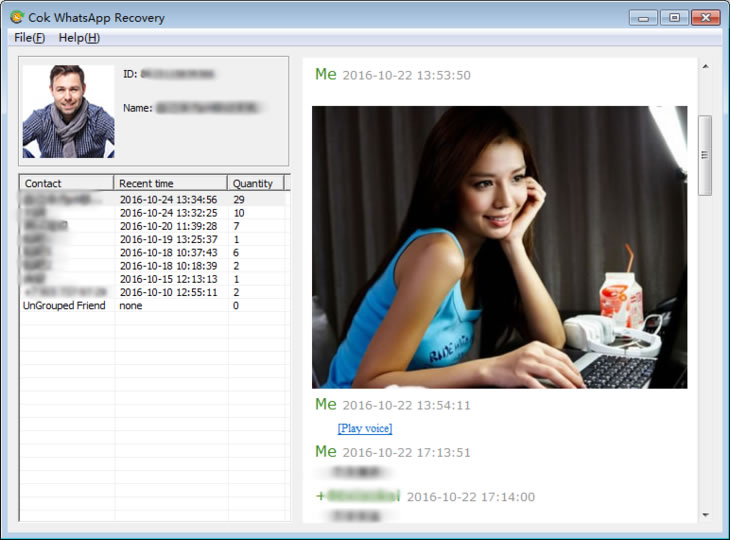
6. Now all the WhatsApp messages(includeing some deleted messages) are shown on the software interface.