Recover Deleted Text Messages from iPhone - Cok SMS Recovery
Many people asked the question about how to recover deleted text messages from iPhone on the internet. Text messages are saved in a database file which is named sms.db on iOS system, we can export this file to PC via iTunes software and then used third-party recovery software to recover old text messages easily. Cok SMS Recovery is designed specifically for Android and iPhone text messages recovery, support all iOS version and all iPhone such as iPhone 8, iPhone X, iPhone7, iPhone 6, etc.
 Video Guide
Steps to Recover Deleted Text Messages from iPhone
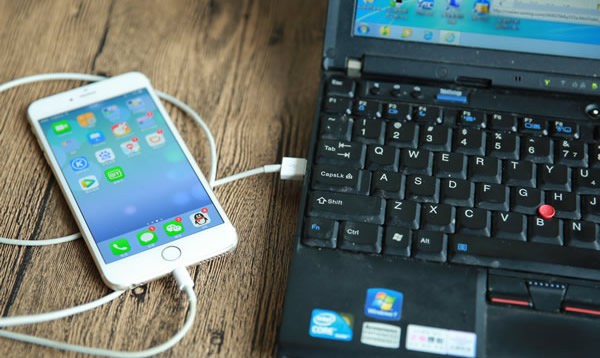
1. Connect your iPhone to any Windows computer.
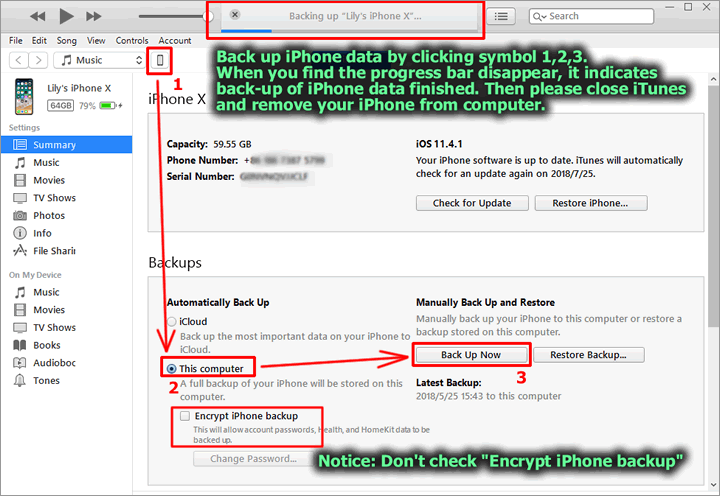
2. Install and run “iTunes” software (free download it from Apple’s website or search “iTunes” from Google). Back up iPhone data to your computer as shown below.
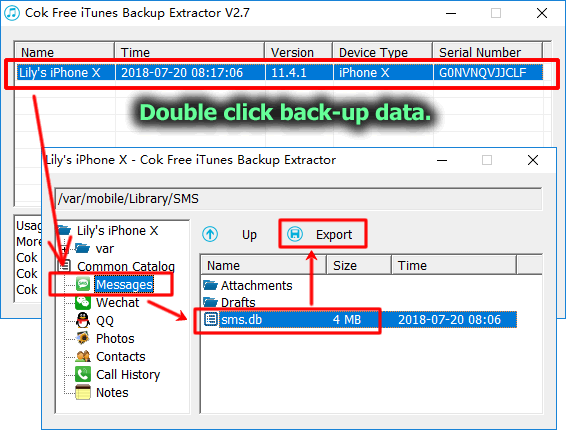
3. Install and run Cok Free iTunes Backup Extractor. Export sms.db file from back-up data as shown below.
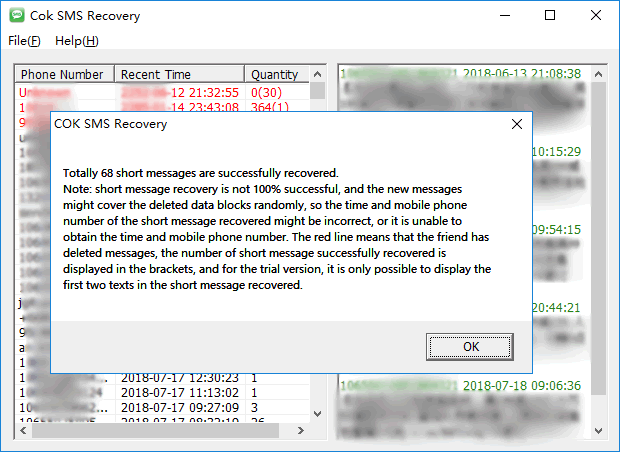
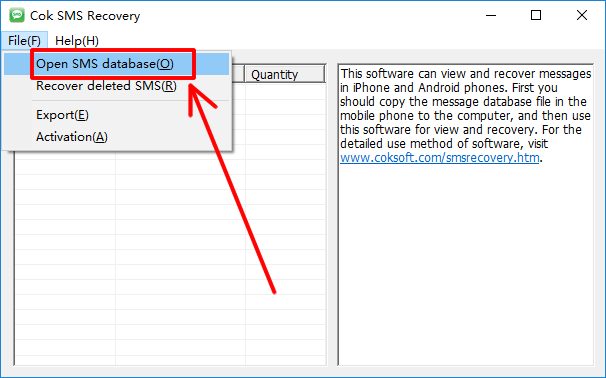
4. Download and run Cok SMS Recovery, click “File”, “Open SMS database” menu and then select “sms.db” file for opening.
5. Now, we can view all undeleted text messages on software interface. Please continue to click “File”, “Recover deleted SMS” menu.
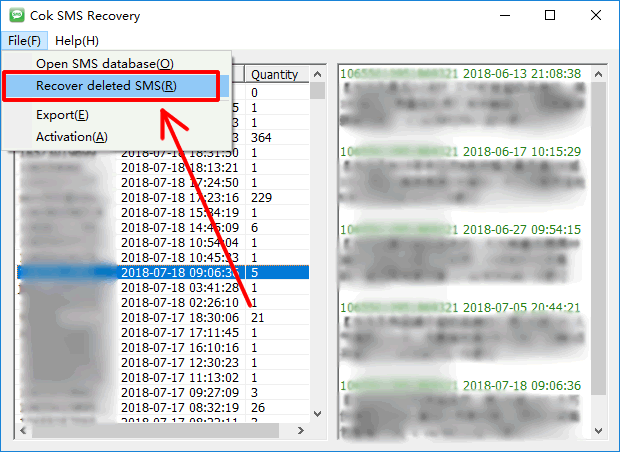
6. Deleted iPhone text messages will be recovered soon. You can view existing and recovered text messages on the software interface.