How to recover deleted text messages on iPhone
Cok SMS Recovery is a professional iPhone text message recovery software (it can also recover all Android phone text messages). This software can recover all text messages deleted by accident for in iPhones including iPhone 5, iPhone 6, iPhone 7, iPhone 8, iPhone X, etc. In a word, It supports phones with all versions of IOS system. In the whole process, the only thing users need to do is to operate step by step based on procedures indicated on this webpage without jailbreak.
 Video Guide
iPhone text messages recovery tutorial
1. Download and install iTunes on your windows computer( Download Now ).
2. Connect your iPhone with the USB data cable to the computer, open iTunes software, and click the small mobile phone icon in the top left corner. Choose “this computer”, click “Back up now” in the right, and then click “Don't back up apps” in the pop-up window.

3. Download and install Cok Free iTunes Backup Extractor on your computer( Download Now ).
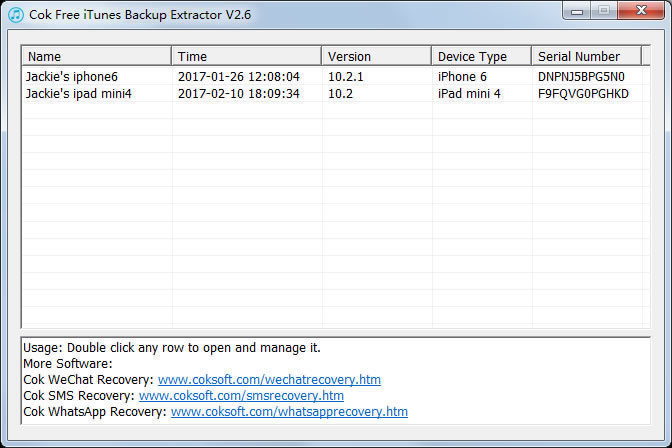
4. Open "Cok Free iTunes Backup Extractor" software, and then double click the backup file row.
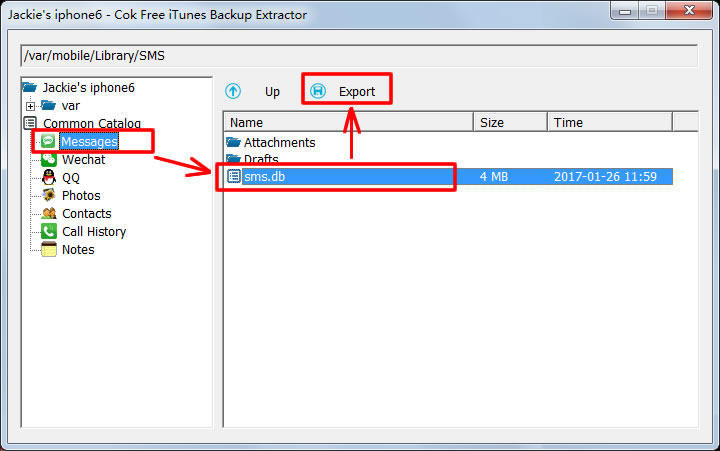
5. Click "Messages" item and select "sms.db" file. And then click "Export" button to export this file to any folder.
6. Open "Cok SMS Recovery" software, click menu "File" -> "Open SMS database(O)", then select the exported sms.db file for opening.
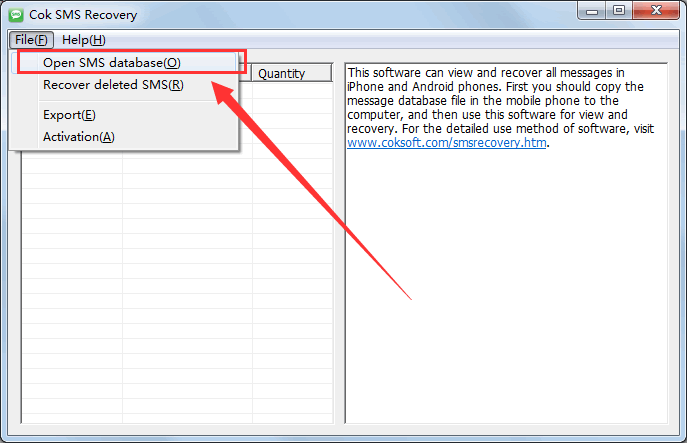
7. Click menu "File" -> "Recover deleted SMS(R)".
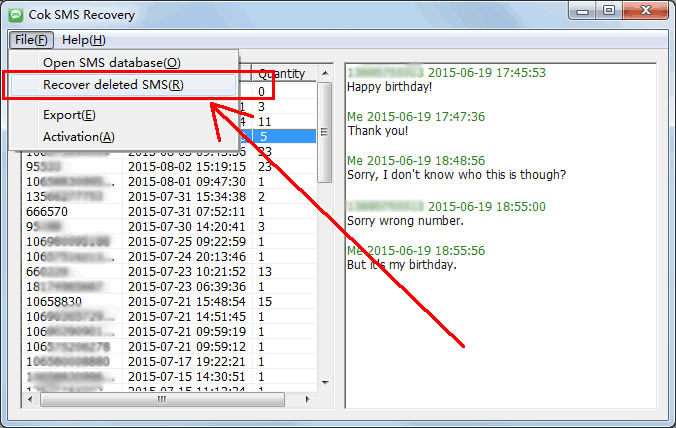
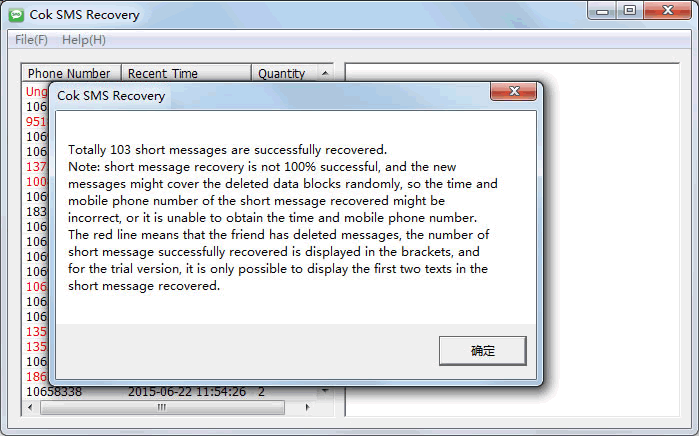
8. After a while, the text messages deleted in iPhone are successfully retrieved, as shown in the figure below: