How to recover deleted text messages from Huawei phone
Huawei phone is a kind of phone made in China and with rather big global sales. There are many Huawei phone users all around the world. Many users come across a problem that how to recover SMS that they carelessly delete from Huawei phone? Is it possible to recover the SMS from Huawei phone? The answer is yes. Please follow the steps.
1. Firstly, we need to do Root to the phone. If not, we can not export SMS database file from Huawei phone. You can google “how to root Android phones” to obtain relevant information.
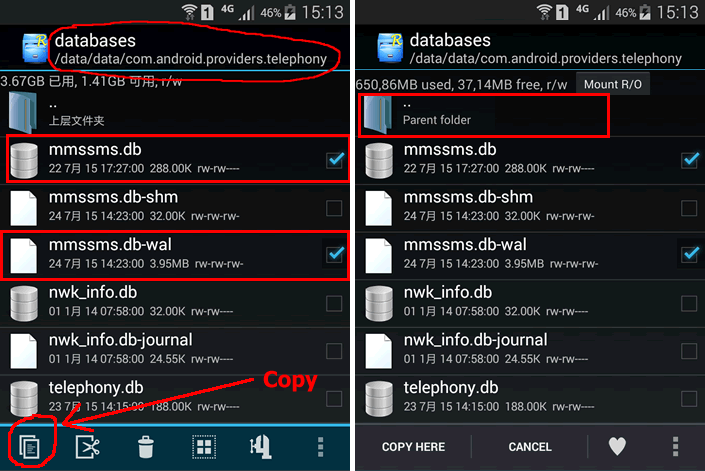
2.Search and download rootexplorer app on your Huawei phone, enter into “data\data\com.android.providers.telephony\databases”, check mmssms.db and mmssms.db-wal files, click the “copy” button in the left bottom to copy them and then click the topmost “..” to return to the upper directory till the root directory.
Attention: if there is no mmssms.db-wal in your Huawei phone, you should just copy mmssms.db file.
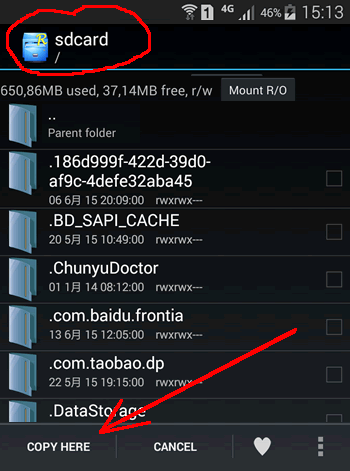
3. Find "sdcard" folder under root directory, which reflect your phone’s extraposition memory card, clicking to enter into this folder and then “copy here”.
4. Connect Huawei phone to the computer, to copy the mmssms.db (and mmssms.db-wal) from sd card to computer.
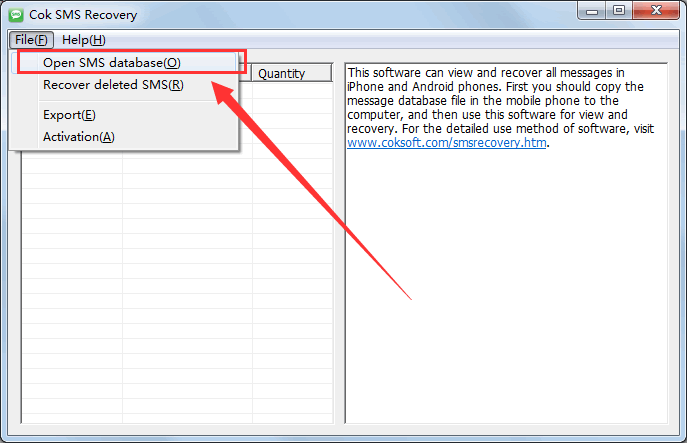
5. Open the “Cok SMS Recovery”, click “File”, “Open SMS database” menu and choose the “mmssms.db” copying from Huawei phone just now.
6.
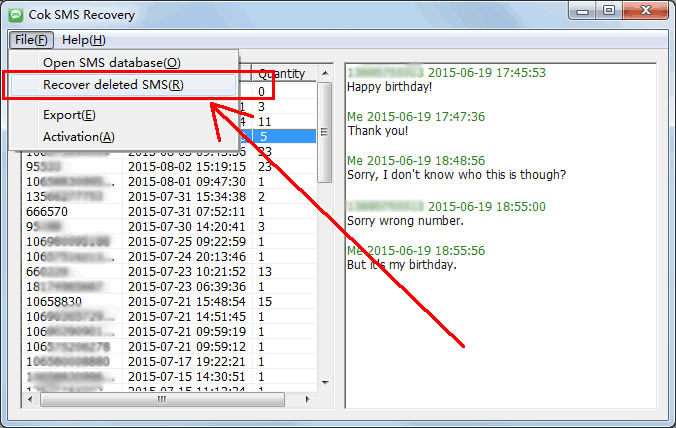
Click the menu “file”, “recover deleted SMS”.
7.
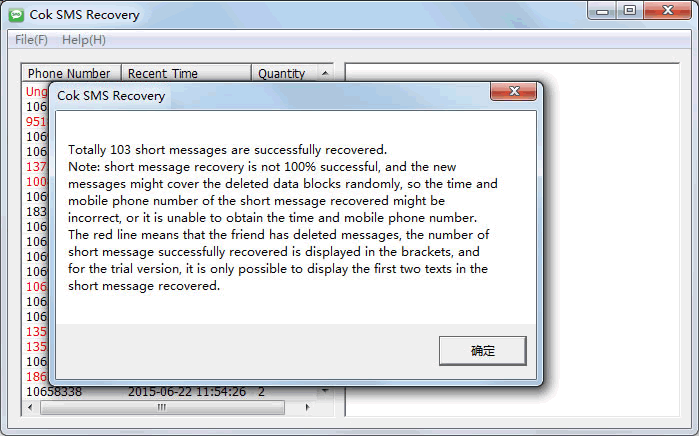
Wait for a few minutes and the deleted text messages would be successfully recovered from Huawei phone. Showing as the following picture, there are 103 carelessly deleted SMS being successfully recovered from my Huawei phone.