Auto Typer for Windows 7, 8, XP - Cok Auto Typer
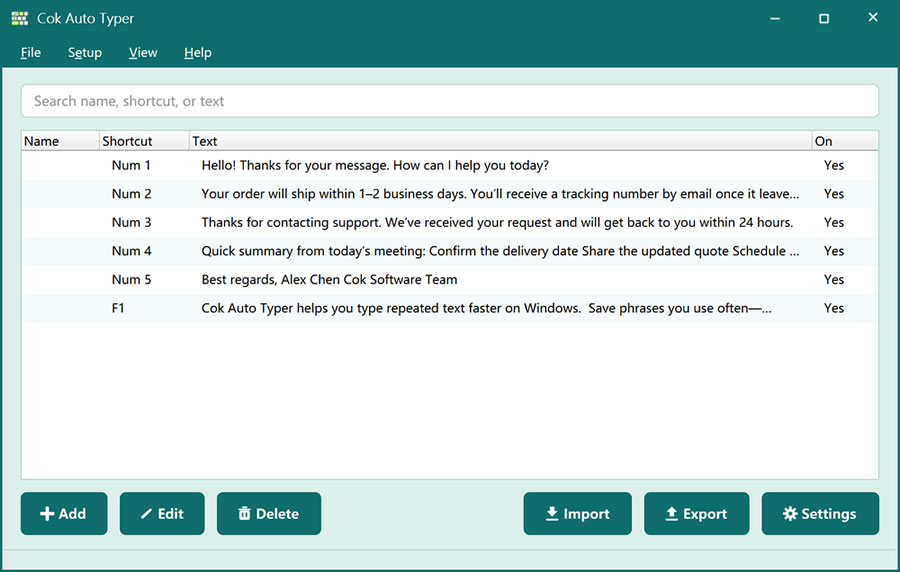
If you need an auto typer for Windows, Cok Auto Typer is a desktop utility that inserts saved text into Windows programs. It is aimed at Windows users who still work on Windows 7 or 8 as well as newer systems such as Windows 10 and Windows 11. Place the cursor in a field, press a hotkey, and a full phrase or multi-line block is typed for you.
Why choose an auto typer for Windows (not a mobile app)
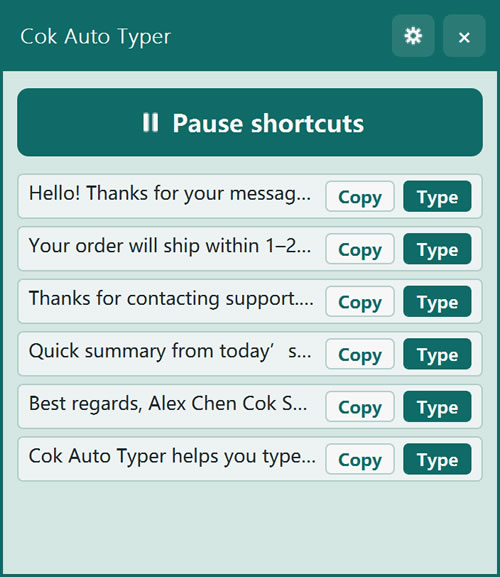
Most repeated typing happens in PC software: browsers, office apps, chat clients, and admin tools. An auto typer for Windows sits next to those apps and types into whichever window has focus. Cok Auto Typer does that with hotkeys, and also with a picker window and floating window for mouse selection—handy on a Windows desktop with a keyboard and numpad.
Windows compatibility and everyday useCok Auto Typer is built for the Windows desktop. Title searches often mention Windows 7, 8, and XP; the current build targets common Windows PCs including Windows 7, 8, 10, and 11. Use it wherever Windows accepts keyboard input—chat, forms, Word, Notepad, and more—in English or other languages.
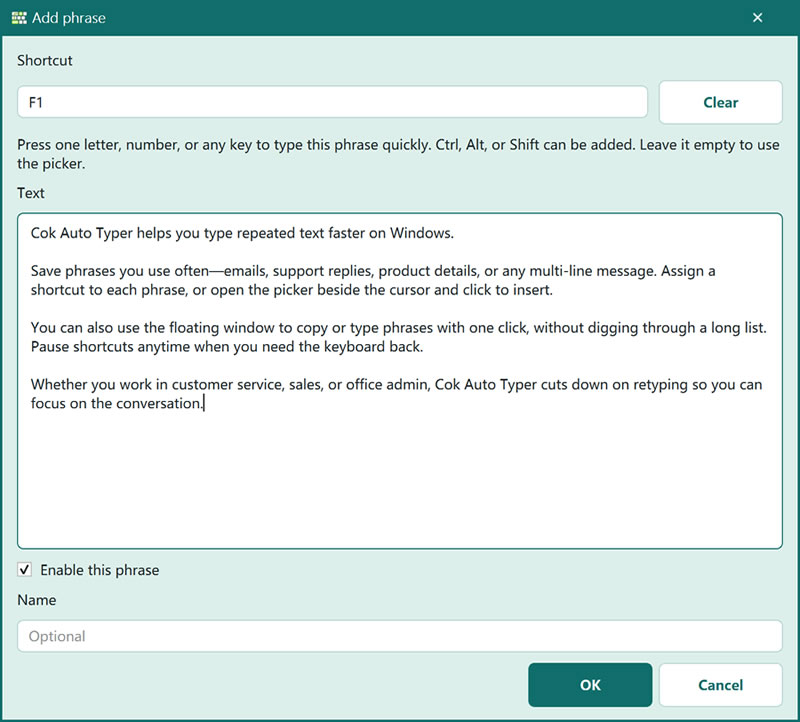
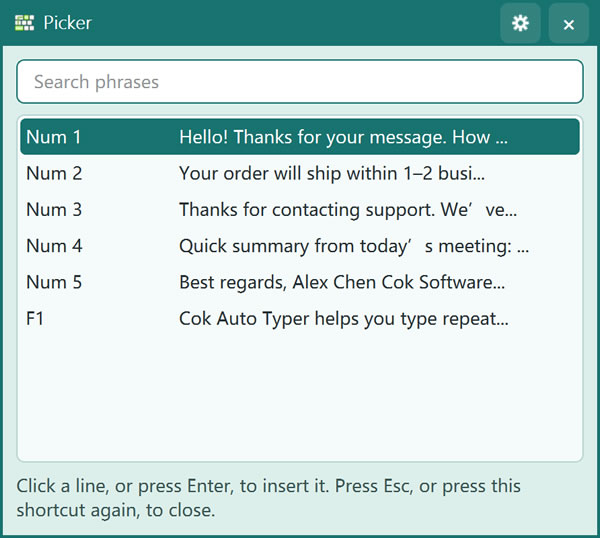
On a Windows keyboard you can assign a combination or a single key (including numpad digits, which many office users leave free). If you prefer not to memorize hotkeys, press Ctrl+R (default) for the picker, or keep the floating window visible on the Windows desktop.
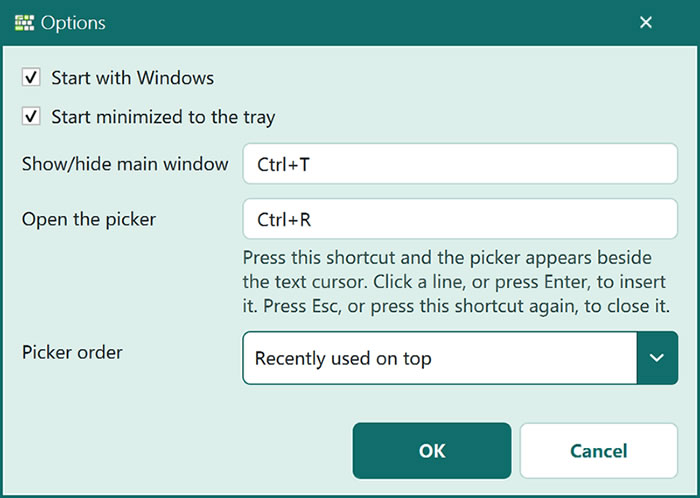
An auto typer inserts text; an auto clicker for Windows simulates mouse clicks. Many IT and office users need both. Download Cok Auto Typer when your bottleneck is repeated text, not clicking. Full product page: Cok Auto Typer. Related: fast auto typer.